kspears.com

Kevin Spears

Kevin Spears

Cloud, technology, homelab, and life in the Pacific Northwest.

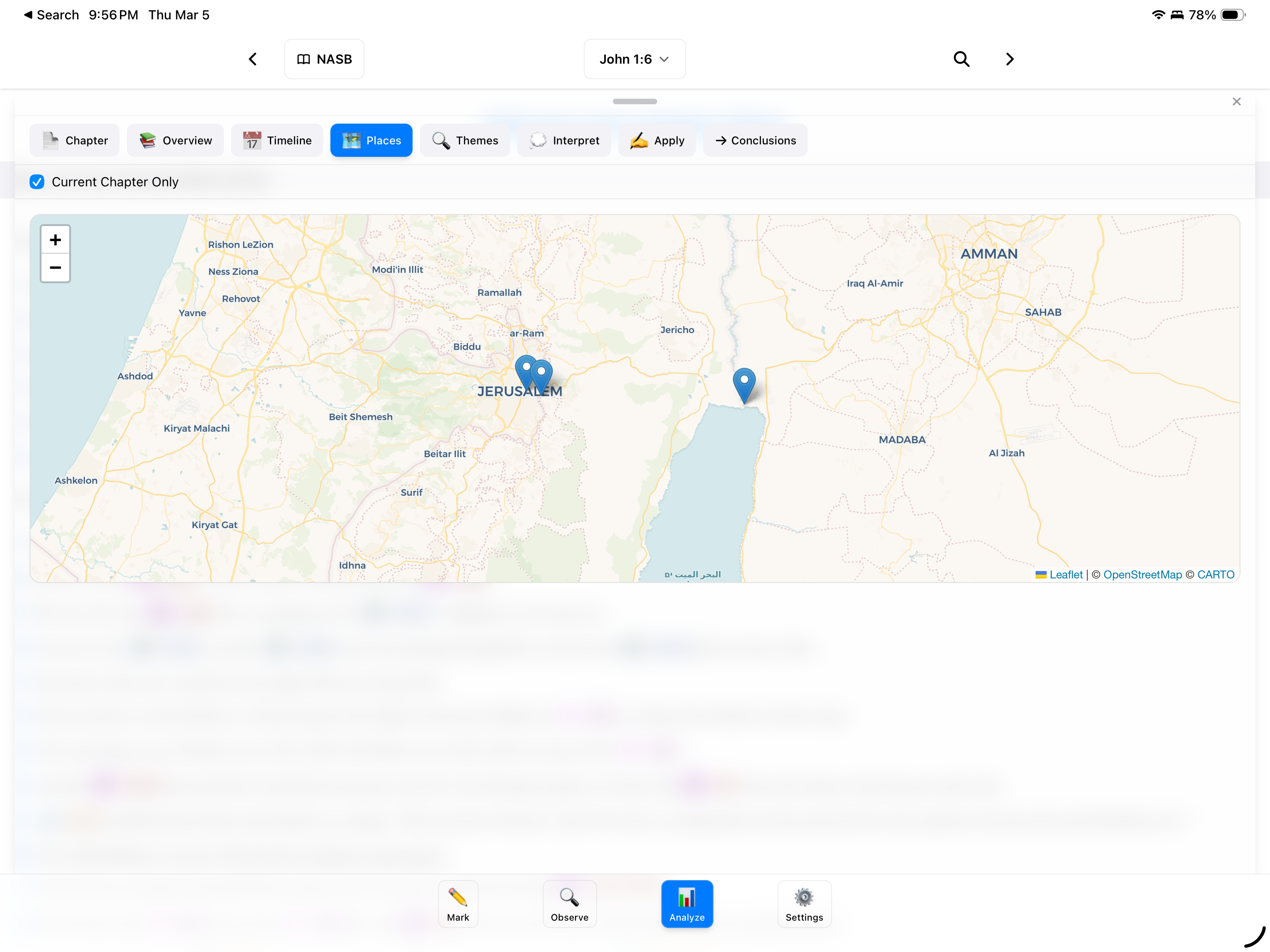
Terminal vs editor comparison

Comparing Claude Code With Cursor

I've been using AI coding tools pretty heavily over the past few months. The two I keep coming back to are Claude Code and Cursor. They both make you faster but they go about it in completely different ways.

The short version

Cursor is a VS Code fork with AI baked in. Claude Code is a CLI tool that runs in your terminal. That difference sounds small but it changes everything about how you work with them.

Cursor

Cursor does a lot of things well. The autocomplete is solid and learns from your project. The inline chat is handy for quick stuff like "what does this function do" or "refactor this to async/await." You highlight code, ask a question, get an answer. If you're already a VS Code person the transition is easy since all your extensions and settings carry over.

It also has a composer mode for multi-file edits where you describe changes and review diffs before accepting. For targeted refactors this works fine.

The downside for me is that it's a lot. Lots of modes, panels, shortcuts to learn. It's powerful but there's overhead.

Claude Code

Claude Code is a terminal tool. You describe what you want in plain English and it goes off and does it... reads files, writes code, runs commands, fixes things. It feels less like pair programming and more like handing a task to someone who works really fast.

Where it really pulls ahead is complex stuff. "Add this API endpoint with tests, update the routing, make sure everything still passes." Claude Code can run your test suite, read the output, fix failures, and re-run until it's green. With Cursor you're copying errors back and forth manually. That adds up.

It's also better at understanding your codebase as a whole. It actively explores your project to understand patterns and conventions instead of just looking at whatever files you point it to.

Why I landed on Claude Code

I already live in the terminal. Tmux, vim, the whole deal. Claude Code just drops into another pane and fits right in. No new GUI, no keybindings to memorize, no editor to configure. Just type what you want.

For quick edits it's just as good as Cursor. For bigger tasks... implementing features across multiple files, debugging weird issues, significant refactors... it's a different class of tool because it can actually run things and iterate on its own.

I gave Cursor a fair shot and it's genuinely good. But I kept wanting to get back to the terminal. If you're a VS Code person Cursor is probably great. For me Claude Code just clicked.

Cost

Cursor is $20/month for Pro. Claude Code runs on Anthropic's API directly or through a Claude Max subscription. I went with Max for the flat monthly fee and predictable costs. I'm not paying for editor features I don't need since I'm already happy in my terminal.

If you're a terminal person, give Claude Code a shot. You might not go back.

AWS Backup cross-account architecture

Centralized AWS Backup for RDS

When I started setting up backups for RDS at Prison Fellowship, I went down the path of building something way more complicated than it needed to be. Custom Lambda functions, cross-account snapshot copies, retention logic — the whole nine yards. Turns out AWS already solved this problem.

The Simple Setup

AWS Backup with Organizations support does the heavy lifting. The architecture is straightforward:

  • Management account — defines the backup policy via AWS Organizations
  • Workload accounts — where your RDS instances live
  • Backup account — a dedicated account that stores backup copies

The management account pushes a backup policy down to all member accounts. Those accounts run their local backups on schedule, and then a copy rule sends them to a backup vault in the centralized backup account. That's it.

How It Works

  1. Enable AWS Backup in your AWS Organization from the management account
  2. Turn on cross-account backup in the AWS Backup settings
  3. Create a backup vault in your dedicated backup account
  4. Define a backup policy in the management account with:
    • A backup rule (schedule, retention, lifecycle)
    • A copy rule pointing to the vault in your backup account
  5. Attach the policy to the OUs or accounts you want covered

The backup policy automatically applies to tagged resources in the target accounts. Tag your RDS instances with something like backup: daily and the policy picks them up.

Multi-Region for Disaster Recovery

The copy rule can also target a vault in a different region. So your backup flow looks like:

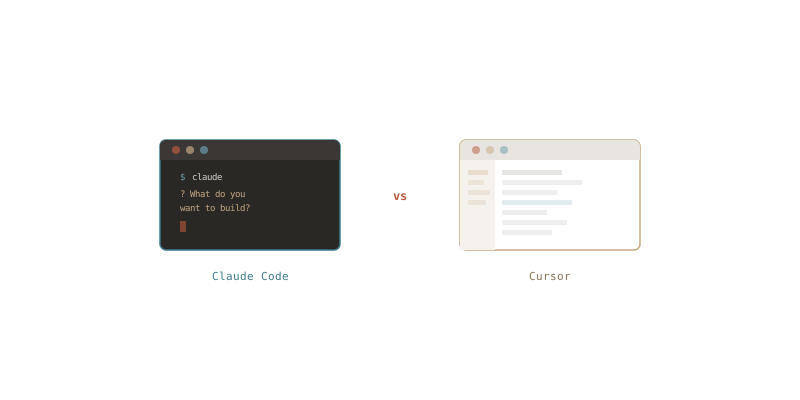
RDS (us-east-1, workload account)
  → local backup vault (us-east-1, workload account)
  → copy to backup vault (us-east-1, backup account)
  → copy to backup vault (us-west-2, backup account)

Now you've got backups in a separate account AND a separate region. If us-east-1 has a bad day, your data is sitting safely in us-west-2 in an account that your workload accounts can't touch.

The Pitfall I Fell Into

I originally tried to wire this up manually — Lambda functions triggered by EventBridge to copy snapshots cross-account, another Lambda to manage retention, IAM roles and KMS key policies everywhere. It worked, but it was fragile and annoying to maintain.

The Organizations-based approach replaced all of that with a single backup policy. No custom code, no Lambda functions, no EventBridge rules. Just a policy document and some tags.

Terraform All the Things

This whole setup is managed in Terraform because infrastructure should always be in code. Here's the gist of what the resources look like:

resource "aws_organizations_policy" "backup" {
  name    = "rds-backup-policy"
  type    = "BACKUP_POLICY"
  content = jsonencode({
    plans = {
      rds_backup = {
        regions = { "@@assign" = ["us-east-1"] }
        rules = {
          daily = {
            schedule_expression         = { "@@assign" = "cron(0 5 ? * * *)" }
            start_backup_window_minutes = { "@@assign" = 60 }
            target_backup_vault_name    = { "@@assign" = "Default" }
            lifecycle = {
              delete_after_days = { "@@assign" = 35 }
            }
            copy_actions = {
              "arn:aws:backup:us-east-1:BACKUP_ACCOUNT_ID:backup-vault:central-vault" = {
                target_backup_vault_arn = {
                  "@@assign" = "arn:aws:backup:us-east-1:BACKUP_ACCOUNT_ID:backup-vault:central-vault"
                }
                lifecycle = {
                  delete_after_days = { "@@assign" = 90 }
                }
              }
              "arn:aws:backup:us-west-2:BACKUP_ACCOUNT_ID:backup-vault:central-vault-dr" = {
                target_backup_vault_arn = {
                  "@@assign" = "arn:aws:backup:us-west-2:BACKUP_ACCOUNT_ID:backup-vault:central-vault-dr"
                }
                lifecycle = {
                  delete_after_days = { "@@assign" = 90 }
                }
              }
            }
          }
        }
        selections = {
          tags = {
            rds_tagged = {
              iam_role_arn = { "@@assign" = "arn:aws:iam::$account:role/BackupRole" }
              tag_key      = { "@@assign" = "backup" }
              tag_value    = { "@@assign" = ["daily"] }
            }
          }
        }
      }
    }
  })
}

resource "aws_organizations_policy_attachment" "backup" {
  policy_id = aws_organizations_policy.backup.id
  target_id = var.workload_ou_id
}

The backup vaults and IAM roles in the backup account are in their own Terraform workspace. The policy itself lives in the management account's config. Clean separation, easy to audit, and no one is clicking around in the console.

Key Takeaways

  • Don't build what AWS already provides. Check if a managed service covers your use case before writing custom automation.
  • Use a dedicated backup account. It creates a security boundary — even if a workload account is compromised, the attacker can't delete your backups.
  • Multi-region copies are a checkbox, not a project. Add a second copy rule in the policy and you're done.
  • Tag your resources. The backup policy uses tag-based selection, so consistent tagging is what makes the whole thing work.

Sometimes the best engineering decision is realizing you're overengineering it.

Running shoe showing heel drop measurement

Heel Drop in Running Shoes

I've been running for about 10 years now, ever since I moved to Portland to work at Nike. I don't work there anymore but I still run. One thing I didn't know about when I started shopping for running shoes is heel drop... the difference in height between the heel and the forefoot. It's a small number that makes a big difference in how a shoe feels.

What Is Heel Drop?

Heel drop (or heel-to-toe offset) measures how much higher the heel sits compared to the forefoot:

  • High drop (10-12mm) — Traditional running shoes. Promotes heel striking with more cushioning in the back.
  • Mid drop (5-8mm) — A balance between heel and forefoot cushioning.
  • Low drop (0-4mm) — Encourages a more natural foot strike.
  • Zero drop (0mm) — Heel and forefoot are level, like running barefoot.

Why I Started Paying Attention

As I've gotten older I've been struggling to find shoes that really work for me. I tried high-drop shoes and they caused knee pain... not great when you're trying to stay active and keep running for years to come. That sent me down the research rabbit hole.

Lower-drop shoes shift some of the impact away from your knees and distribute it to your calves and ankles. There's research backing this up... Bonacci et al. (2013) found that higher-drop shoes were linked to increased patellofemoral stress, which is a key factor in runner's knee. For me it wasn't academic, I could feel the difference.

A lower drop also encourages midfoot or forefoot striking instead of heel striking. It's closer to how you'd naturally run barefoot. You engage your foot muscles, Achilles tendons, and calves more actively which builds strength over time. Better ground feel, better balance, better proprioception on trails.

The Transition

If you're switching from high-drop shoes don't just buy zero-drop shoes and go run 10 miles. Your calves will not forgive you. Start with shorter runs and work your way up. Calf raises help. Rotating between different drops helps too. Listen to your body... soreness is normal but sharp pain means slow down.

What I'm Running In

I went through a few iterations on this. For a while I was in Altra Lone Peaks on the trails (zero drop) and Hoka Cliftons on the road (5mm drop). Both solid choices.

Since then I've landed on a lower drop shoe around 5mm... the On Cloud. They've been working really well for me. No knee pain, comfortable for longer runs, and they just feel right.

Should You Go Lower?

Zero drop isn't for everyone. If you have stiff ankles, past Achilles injuries, or calf issues you might prefer a slight drop in the 4-6mm range. The point isn't to get to zero... it's to find what works for your body.

If you're dealing with knee pain in your current shoes it's worth trying something with a lower drop. It made a real difference for me.

References

  • Bonacci, J., et al. (2013). Running in a minimalist shoe increases plantar pressure without modifying running biomechanics. Medicine & Science in Sports & Exercise, 45(7), 1342-1350.
  • Paquette, M. R., et al. (2013). Ground reaction forces and lower extremity biomechanics with different speeds in traditional versus minimalist running shoes. Journal of Biomechanics, 46(7), 1275-1282.
  • Willy, R. W., & Davis, I. S. (2014). Kinematic and kinetic comparison of running in standard and minimalist shoes. Journal of Sports Sciences, 32(13), 1277-1285.
Cloudflare CDN network diagram

Prison Fellowship's Migration to Cloudflare

I've been using Cloudflare for my personal domains for a few years now so when the topic came up at work to move Prison Fellowship's DNS I already knew what we were getting into. DNS isn't that complicated... as long as you don't fat finger it.

The Migration

We put all of our DNS zone info into Terraform which was honestly the most valuable part of the whole project. Going through every record forced us to audit what we actually had. We found several dead domains that nobody was using anymore and a few that needed to be migrated over to our sister organization. That kind of cleanup doesn't happen unless you're forced to look at everything.

We also moved our domain registrar from Network Solutions to Cloudflare. The renewal pricing alone made this worth it... we're paying significantly less now for registration renewals.

What We Gained

The DNS migration was table stakes. The real wins were everything else Cloudflare gives you once your domains are on their platform:

  • WAF — We were excited to turn this on. Having a web application firewall in front of our sites without managing it ourselves is a huge improvement to our security posture.
  • Caching — Immediate performance boost for our public-facing sites with minimal configuration.
  • Security features — DDoS protection, SSL management, bot detection... all just there once you're on the platform.

Pro vs Business Plan

I spent some time deciding between Cloudflare's Pro and Business plans. The Business plan has 24/7 support, more WAF rules (50 vs 20), custom SSL certificates, and advanced DDoS protection. All good stuff but overkill for where we are right now.

We went with Pro. It covers our needs and we can always upgrade later if the 20 WAF rules feel limiting or we need the enhanced support. No reason to pay for features we aren't going to use on day one.

Surprises?

Honestly... not really. Since I'd already done this for my personal domains I knew the process well. The biggest effort was the Terraform work and the domain audit, not the actual migration itself. Sometimes the boring migrations are the best ones.

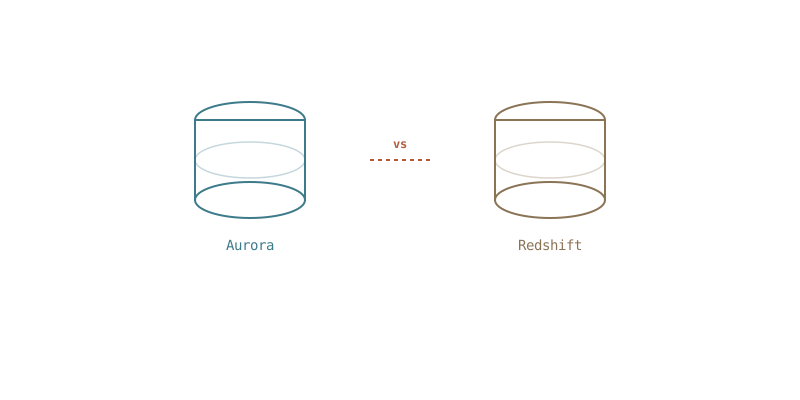
Aurora vs Redshift database comparison

AWS Aurora vs. Redshift for Data Warehousing

At work we needed to move from what was essentially a data dumping ground into a real data warehouse. So I went down the rabbit hole of figuring out what we should use. Since we're on AWS the two obvious contenders were Aurora and Redshift.

The Quick Comparison

Feature Aurora Redshift
Type Relational Database (OLTP) Data Warehouse (OLAP)
Workload Transactional & mixed Analytical & reporting
Data Structure Row-based Columnar
Query Performance Small queries, high concurrency Complex queries over large datasets
Scalability Read replicas, vertical scaling Massively parallel processing
Best For Transactions, operational data BI, data lakes, analytics

On paper Redshift is the "correct" answer for a data warehouse. It's purpose-built for analytical workloads with columnar storage and massively parallel processing. If you're running complex queries over petabytes of data it's the obvious choice.

What We Actually Did

We went with Aurora (Postgres).

Our dataset is only a few terabytes... large for us but not the kind of scale where Redshift really starts to shine. The bigger factor was that our team already knows Postgres. We didn't have the time to give Redshift a proper MVP, learn its quirks, build out the ETL pipelines, and train the team on a new query engine all at once.

Sometimes the right tool is the one your team can actually operate well. Aurora gave us a real database with proper structure to replace the dumping ground, and we could move fast because everyone already knew how to work with it.

When Redshift Would Make Sense

If our data grows significantly or we start needing heavy analytical workloads... aggregations across billions of rows, complex joins across huge tables... we'd revisit Redshift. You could even run both, storing operational data in Aurora and ETL-ing it into Redshift for deeper analysis.

But for now Aurora is doing the job and we're not fighting our tooling to get there.

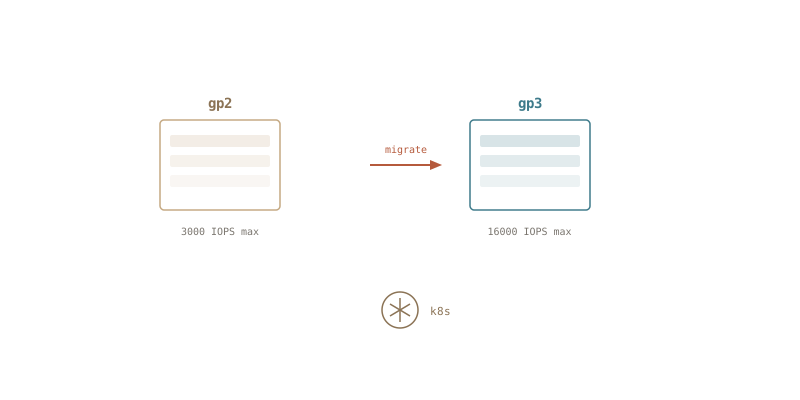
GP2 to GP3 storage migration

Migrating K8s From GP2 to GP3

At work we have a Stackgres Kubernetes cluster that hosts our Postgres databases. This allows for high availability, easy data recovery and generally is pretty easy to manage. I admit that when I first started looking at postgres on Kubernetes I was pretty skeptical but it's honestly given me very little to complain about. It does have some issues due to how the cluster was initially configured that I am planning to fix in the future.

The K8s cluster was setup with GP2 as the default storage class and so the topic came up a few months ago to migrate to GP3 to increase our IOPs and also reduce cost.

So I thought that it would be pretty easy to migrate from GP2 to GP3 EBS volumes as I have migrated standard EC2 servers using EBS with a quick CLI script or GUI click. I sent in a ticket to Ongres, the company behind Stackgres to see if they had any guidance on the process. I was expecting again a simple one liner kubectl command or script.

Instead I received a long procedure and thought I'd document it here...

  1. Make the cluster leader pod "0". I'm not 100% sure this is needed but it was in my directions. I didn't test this but I figure it will delete whatever pod is not the leader. But again I didn't test.
    1. kubectl exec -it -n <<namespace>> <<stackgres_pod_name>> -c patroni -- patronictl list
    2. If needed switchover: kubectl exec -it -n <<namespace>> <<stackgres_pod_name>> -c patroni -- patronictl switchover
  2. Take a backup... take a backup... take a backup! Don't start this process without a recent backup as you are going to delete volumes.
  3. Set the cluster size to 1, destroying the replica: kubectl edit sgclusters.stackgres.io -n <<namespace>> <<stackgres_cluster_name>>
  4. Use kubectl get pvc to find the volume claim and release it by deleting it.
  5. Use kubectl get pv to find the volume and then delete the volume.
  6. Set the cluster size to 2, creating a new replica: kubectl edit sgclusters.stackgres.io -n <<namespace>> <<stackgres_cluster_name>>
  7. watch for the replica to be rebuilt and sync up with the leader: kubectl exec -it -n <<namespace>> <<stackgres_pod_name>> -c patroni -- patronictl list
  8. Once the sync is complete, switchover to the replica and then follow the steps to delete the old leader.

I admit that I made a mistake at one point and deleted a PVC that was still in use. Thankfully the Ongres team was able to help me recover from that. I'll document that in a later post.

I'm hoping that going forward we can use GP3 as the default storage class for new clusters.

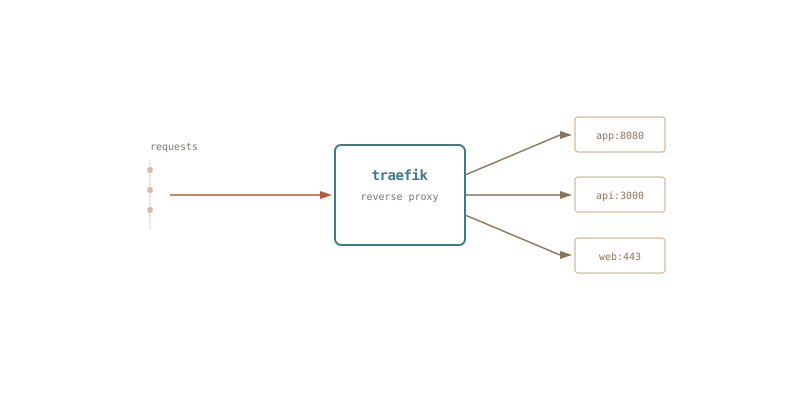
Traefik reverse proxy routing diagram

Traefik Adventures

At work I was looking into ways to decrease our AWS Public IP usage. We, along with the rest of the world were hit with monthly cost of using too many IP addresses. And it was not a total surprise since AWS announced this was coming, the price tag was a bit of shock though as I hadn't realized how many Public IP's we were using.

So I started thinking through the problem and thought, well what if we routed our traffic through a single load balancer and then hit some sort of internal load balancer to route traffic to our various apps and whatnot. So after a little bit of searching I decided to check out Traefik as it seems to have the features that I think I'll need.

I have never used Traefik before so I decided to try it in my home lab, switching out Nginx Proxy Manager.

Full disclaimer: NPM works well and was simple to use, I'm not bashing it here. I did have some minor issues that annoyed me, like trying to store its config in git. I'm sure there are ways to do it, I tried terraform but it never worked the way I thought it should. But I wanted to try out Traefik prior to talking about it at work, so here we are.

Traefik Overview

So let me pause a moment here to talk about how Traefik works, there are lots of posts out there about this topic but I will say none of them did a great job of describing the architecture of Traefik.

Static Config

The Static Config (traefik.yaml or traefik.toml) describes the global settings like logging and if the dashboard / API are enabled. Ingress is setup here, so if you want 443 or 80 open you do that here and you give them a name like HTTP or web. This is also where you setup lets encrypt settings, in my case I wanted to do DNS verification and so I've got those configs set for Cloudflare.

log:
  level: WARN
  filepath: "/etc/traefik/log/traefik.log"
accessLog:
  filePath: "/etc/traefik/log/access.log"
api:
  dashboard: true                             # Enable the dashboard
  #insecure: true

# Certificate Resolvers are responsible for retrieving certificates from an ACME server
# See https://doc.traefik.io/traefik/https/acme/#certificate-resolvers
certificatesResolvers:
  letsencrypt:
    acme:
#      caServer: https://acme-staging-v02.api.letsencrypt.org/directory
      email: "letsencrypt@spearssoftware.com"  # Email address used for registration
      storage: "/etc/traefik/acme/acme.json"    # File or key used for certificates storage
      #tlsChallenge: {}
      dnsChallenge:
        provider: cloudflare


entryPoints:
  http:
    address: ":80"                            # Create the HTTP entrypoint on port 80
    http:
      redirections:                           # HTTPS redirection (80 to 443)
        entryPoint:
          to: "https"                         # The target element
          scheme: "https"                     # The redirection target scheme
  https:
    address: ":443"                           # Create the HTTPS entrypoint on port 443

global:
  checknewversion: true                       # Periodically check if a new version has been released.
  sendanonymoususage: true                    # Periodically send anonymous usage statistics.

providers:
  docker:
    endpoint: "unix:///var/run/docker.sock"   # Listen to the UNIX Docker socket
    exposedByDefault: false                   # Only expose container that are explicitly enabled (using label traefik.enabled)
  file:
    directory: "/etc/traefik/config"     # Link to the dynamic configuration
    watch: true                               # Watch for modifications
  providersThrottleDuration: 10               # Configuration reload frequency

Dynamic Config

The Dynamic Config (config/file.yaml) is what happens next and is also dynamic in nature, so add a docker container and Traefik adds the routes and grabs a certificate. In my case I was manually configuring services in a file, I do this because not everything I'm running is on docker on the same host (looking at you mailcow!). This did give me a lot of flexibility to route things exactly the way I wanted and my config is stored in GitHub!

http:
  # Add the router
  routers:
    dns1:
      entryPoints:
        - https
      tls:
        certresolver: letsencrypt
        options: "modern@file"
      service: dns1
      Rule: "Host(`hostname.mydomain.com`)"
      middlewares:
       - "default@file"
  # Add the service
  services:
    dns1:
      loadBalancer:
        serversTransport: nossl
        servers:
          - url: https://internal.ip
  serversTransports:
    nossl:
      #required if using self signed certs internally
      insecureSkipVerify: true

Once I got that lined up it was easy to then expand on this and move my other hosts behind Traefik.

So that was fun...

I've only been running Traefik for a couple days now but I'm impressed with what it can do out of the box. I like that it requires file config rather than a gui which forces me to put things in version control. It's really fast too, which is what I expected since it's a single go binary. I installed it instead of running it in docker as again it's a single binary so docker felt like a lot of overhead for just running a single binary. Will I be keeping Traefik? At this point yes, I think I like it better. It's a steeper learning curve to get started but now that I kind of get it I think it's going to be a more powerful tool. Tomorrow I'll be looking into using Traefik at work to see what it would take to setup Traefik as an ingress controller for our Kubernetes cluster. I think that using it could allow us to reduce our need for AWS ALB's and public IPs by having a single load balancer direct all traffic to Traefik.

AWS certification badge

AWS Solution Architect Professional

I had let my AWS Solution Architect Professional certification expire as I didn't have a lot of spare time during my previous role. So I figured now with my surplus of time I would work on renewing it.

A Cloud Guru

For all my AWS certifications so far I had used A Cloud Guru and it worked alright for me so I decided to use their service again this time around. Pluralsight bought them / merged with them sometime in the past few years so they are working on combining the two services. My time training was caught in the middle of this merging of my course which is understandable but also unfortunate as it would be confusing when I would log in and see that they had added new videos or modified quizzes and tests.

The video content was pretty good. If you have any experience or have taken the associates level test then some of the content will be familiar to you but don't skip too much of the videos. I would find little nuggets of information that were helpful on the quizzes. The challenges are good brain problems, trying to figure out in your head how you'd respond to a scenario. The demos and labs were ok, some of them I felt were too easy or not detailed enough to really provide help in my training but your mileage may vary.

My Tips

  • A Cloud Guru / Pluralsight offer a playground, use it. Play with all the things you are learning. There are only a few exceptions that you aren't able to create in the playground, like multi account setups that centralize permissions and logging.
  • Have your own account to play in, there's nothing like actually building and supporting your own blog or whatever. (I run a mailserver).
  • Give yourself lots of time, don't set your test date too early. But also don't procrastinate.

Good Luck!

I plan to take the test next month, I'm wrapping up training over the next few weeks. I hope you found this post helpful and encouraging!


July 2023 Update...

I passed!

AWS Certified Solutions Architect - Professional

Self-hosted mail server

One Year of Mailcow

I've been hosting my personal domain's email on Mailcow for over a year now after Google apps started charging for their service and I have to say it works pretty well. I had a good architecture to start but needed to iterate on the design of the infrastructure. A few things that changed... I swapped out EFS for a 2nd EBS data volume that was dynamically attached at EC2 boot time. I moved my S3 backups into Glacier to reduce costs. And I did end up needing to upgrade my EC2 to a larger instance, I still need to revisit the metrics on this to determine if it was really necessary. But you know how it is when you break something and the family is using it... you hear about it.

AWS Hosting

I do host this on AWS, my reasoning was just keeping my skills sharp. I had originally spun up the stack with CloudFormation to test out some of the latest changes but have since converted those scripts to Terraform. Terraform is so simple... there's no comparison. This is not the cheapest solution, I could host this anywhere or at home but I chose to put it here to continue honing my skills in AWS. Also let's be honest, AWS is a really solid host.

Mailcow Pros:

  • It's stupid simple to update, they have a script that will pull the latest changes from git, pull docker images, restart services and then clean up after itself.
  • It just works, I've had no real problems other than ones I've created. If you leave it alone it just runs.
  • Backup and restore works. I've only done full backups and restores so I can't comment on restoring individual messages but I can spin up a empty ec2 instance and bring up my server quickly with a restore from S3.

Mailcow Cons:

  • It's a bit bloated, there's some included things that may not be really needed. Like for instance I like the activesync for my mobile device but honestly I could probably just use IMAP idle.
  • SOGO is ugly and we did have some issues with the calendar. It'd be nice if there was a better solution. I know there is an option to use Nextcloud but I haven't played with that yet.
  • Documentation could use some work, there were some places that I had to do some extra research and guessing when I was building out my solution.

So is this a good idea?

If you want to host your own email, Mailcow just works. There are other less resource intensive solutions out there that have good reviews too, I suggest trying them out and pick what works for you. Now with hind sight being 20/20 would I self host email again? I think so? I've learned a lot about email and specifically DKIM and SPF records (I'll do a whole post about those) and so that's been a good growing experience. I haven't lost any email (knock on wood) so that's good. And honestly the server does just work.

Browser window showing kspears.com

Site Is Back

The year of stress and crazy is over and I wanted to get back to working on this blog. I refreshed the theme with something simpler and updated the pipeline... Now I just need to write some content.

The original purpose of this blog was to document whatever I'm working on and share it with whoever might be struggling with similar issues.

My current TODO list:

  • Renew my AWS Solutions Architect - professional certification. (I do realize it's ironic that I didn't get this done last year while I was working there)
  • Start work on studying for a security related certification. I'm not sure if this will be AWS or some other cert.
  • Find a opensource project to contribute to. I'm thinking maybe homebridge or maybe get crazy and learn go to help with hugo
  • Figure out what to do with my mailserver. Currently it's running on mailcow which is great but I'm wondering if it's overkill for what my family needs also it's a bit of a pig and uses a lot of resources
  • Learn how to really use VIM. A couple months ago I was watching one of my engineers use VIM and he was so fast. I was convicted that I should really learn this tool as I use it (poorly) every week.
↑ Top