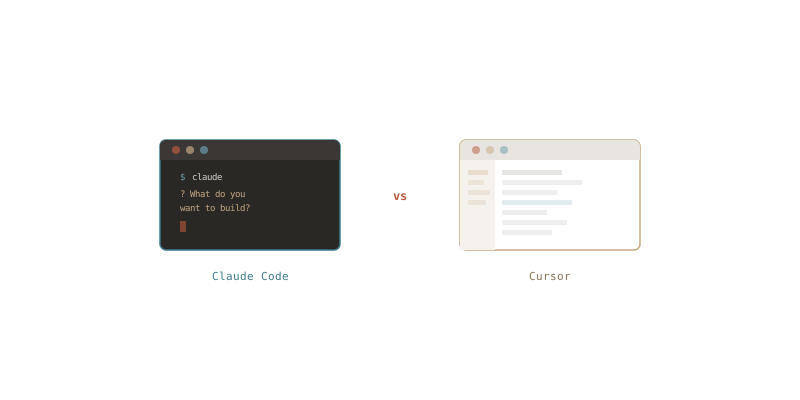
Comparing Claude Code With Cursor
Over the past several months I've been spending a lot of time with AI-powered coding tools. The two that have stood out the most in my workflow are Claude Code and Cursor. Both promise to make developers more productive, but they take very different approaches to how AI should fit into your development process. I wanted to share my thoughts on how they compare after using both extensively.
What They Are
Cursor is a fork of VS Code that bakes AI assistance directly into the editor. It gives you an AI-powered autocomplete, an inline chat for asking questions about your code, and a composer mode for making multi-file edits. If you're already a VS Code user, the transition is almost seamless since it supports all of your existing extensions and settings.
Claude Code is a CLI-based agentic coding tool from Anthropic. It runs in your terminal and interacts with your codebase through a conversational interface. Rather than sitting inside an editor, it operates as an autonomous agent that can read files, write code, run commands, and work through complex multi-step tasks on its own.
The Editor vs. Terminal Approach
This is the most fundamental difference between the two. Cursor lives inside your editor and feels like an enhanced version of the coding experience you already know. You highlight code, ask a question, get a suggestion, and accept or reject it. It's familiar and low-friction if you're an editor-centric developer.
Claude Code operates from the terminal. You describe what you want in natural language and it goes off to explore your codebase, make changes across multiple files, run tests, and iterate. It feels less like pair programming and more like delegating a task to a capable junior developer who happens to work at the speed of light.
As someone who already spends most of my time in the terminal, Claude Code felt immediately natural to me. There's no new GUI to learn, no keybindings to memorize, no editor to configure. You just type what you want and it gets to work. That simplicity is a real advantage. Cursor has a lot of features, but with that comes more complexity in terms of learning the different modes, panels, and shortcuts. Claude Code's conversational interface is about as straightforward as it gets.
Where Cursor Shines
Cursor is excellent for the day-to-day editing workflow. The tab autocomplete is genuinely useful and learns from the context of your project. When I'm writing code and need to quickly complete a function, add a type definition, or fill in boilerplate, Cursor's inline suggestions are fast and usually on point.
The inline chat is great for quick questions like "what does this function do?" or "refactor this to use async/await." Being able to highlight a block of code and get an immediate explanation without leaving the editor is a nice quality-of-life improvement.
Cursor also handles multi-file edits through its composer feature, which lets you describe changes and see diffs across files before accepting them. For targeted refactors where you know roughly what needs to change, this works well.
Where Claude Code Shines
Claude Code really separates itself when tasks get complex. Because it operates as an autonomous agent, it can handle multi-step workflows that would require a lot of manual back-and-forth in Cursor. Things like "add a new API endpoint with tests, update the routing, and make sure the existing tests still pass" are where Claude Code feels like a different class of tool.
The ability to run shell commands is a big deal. Claude Code can execute your test suite, read the output, fix failures, and re-run tests in a loop until everything passes. In Cursor, you'd need to manually run tests, copy errors back into the chat, and iterate yourself. That difference adds up quickly on larger tasks.
I've also found Claude Code to be stronger at understanding the broader context of a codebase. Because it actively explores files and directories to build its understanding, it tends to make changes that are more consistent with existing patterns and conventions. It's reading your code the way a new team member would, rather than just looking at the files you've pointed it to.
Cost and Model Considerations
Cursor offers a Pro plan at $20/month that includes a generous number of fast completions. It supports multiple models including GPT-4 and Claude, and you can choose which to use. The pricing is straightforward, but I found myself hitting limits on the features I actually wanted to use and needing to think about which model to pick for each task.
Claude Code uses Anthropic's API directly with usage-based pricing, or you can use it through a Claude Pro or Max subscription. For my usage patterns, Claude Code's pricing has been a better fit. I'm not paying for a bundle of editor features I don't need since I'm already comfortable in my terminal and text editor of choice. The Max plan in particular gives a generous amount of usage for a flat monthly fee, which makes costs predictable without locking me into a specific editor.
My Workflow
Since I spend most of my day in the terminal anyway, Claude Code has become my primary AI coding tool. It fits right into the workflow I already had — I'm in a tmux session, I have my files open in vim, and now I have Claude Code in another pane ready to go. There's no context switching involved. I describe what I need, it does the work, and I review the changes in my editor.
For quick edits and writing new code, Claude Code handles those just as well as Cursor does. But for bigger tasks like implementing a new feature across multiple files, debugging a tricky issue, or doing significant refactors, Claude Code pulls ahead because it can run commands, check test output, and iterate without me having to copy-paste anything back and forth.
I gave Cursor a fair shot and it's a solid tool, but I kept finding myself wanting to get back to the terminal. If you're already a VS Code power user, Cursor will probably feel more natural. For me, Claude Code just clicked.
Wrap-Up
Both Claude Code and Cursor are impressive tools that genuinely improve developer productivity. Your preference will likely come down to how you already work.
Cursor is a great choice if you're a VS Code user who wants AI baked into the editor you already know. It's polished and feature-rich, though that richness comes with some added complexity.
Claude Code is the better choice if you prefer the terminal, value simplicity, and want an autonomous agent that can tackle complex tasks with minimal hand-holding. It's straightforward to pick up, the pricing works well if you don't need a full IDE subscription, and it's particularly powerful for tasks that involve running commands, debugging test failures, or making changes across a codebase.
For me, Claude Code has been the clear winner. It's simpler, it fits my terminal-first workflow, the pricing makes more sense for how I work, and it handles everything from quick edits to complex multi-file tasks without needing me to leave the environment I'm most comfortable in. If you're a terminal person, I'd highly recommend giving it a try.